
Everything for smarter ecommerce search.

Searchfast combines search correction, rich results and filtering in one PrestaShop search experience.
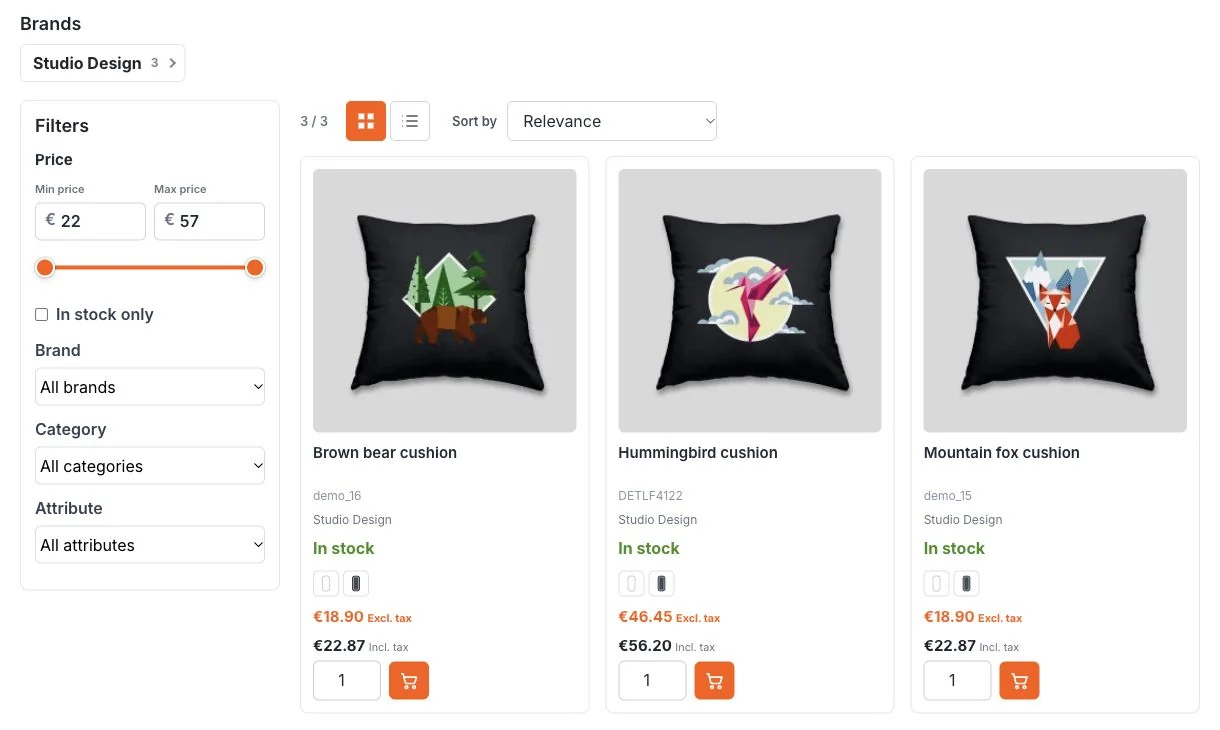
The Searchfast results page, with filters, stock and cart buttons.

Fast search with dedicated caching

Searchfast reuses results and suggestions to keep search fast, even with a large catalogue.

View settings: Fast search with dedicated caching
Caching
Results, rankings and recent suggestions are cached. Prepare common search terms in advance.
Your own server
Your index and search data stay in your PrestaShop store.
Current product data
Product and stock changes update the index. Rebuild it or schedule maintenance tasks. Multiple stores are supported.

Search your product data

Let customers search by name, brand, colour, size or product code. Choose which fields contribute.

View settings: Search your product data
Names and attributes
Product names, brands, categories, tags, materials, colours, sizes and other attributes.
Product codes
References, SKU, supplier codes, EAN, UPC, ISBN, MPN and variant codes.
Descriptions
Search short and long descriptions always, only as a fallback, or never.
Query recognition
Recognise brands, colours, sizes and materials in longer queries. Configure smart filters and query interpretation separately.
Ranking
Choose balanced, name, code or discovery profiles. Add sorting by stock, date, price or name. Ordering based on previous clicks is optional.

Spelling support in 12 languages

Help customers with typos and compound words. With spelling support in 12 languages.
View settings: Spelling support in 12 languages
Spelling
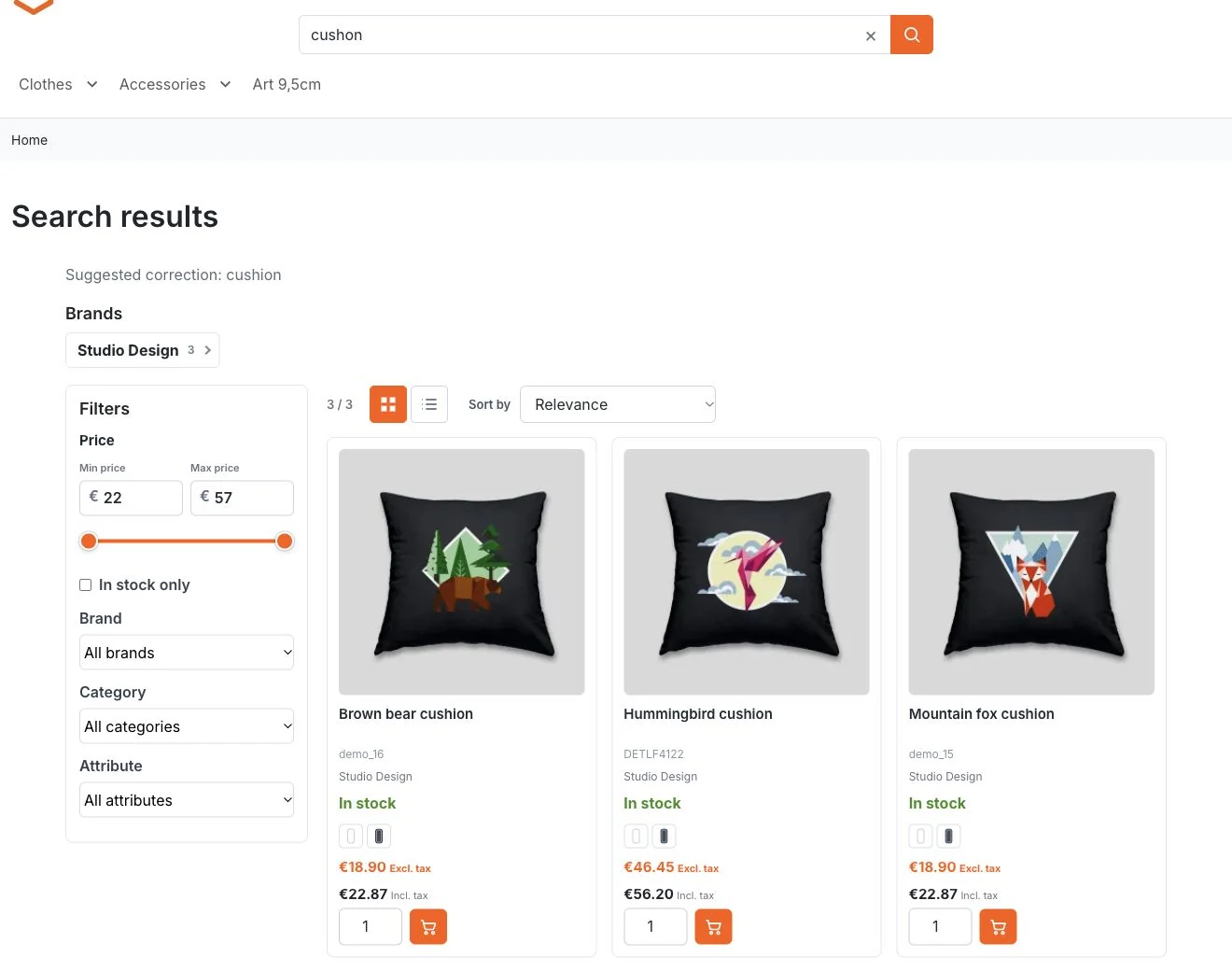
Enable or disable correction. Queries without results can be retried with corrected spelling. Product codes are protected against unintended corrections.
Your own synonyms
Connect words with the same meaning. Manage them in PrestaShop or import a CSV file.
Languages
Spelling correction for Dutch, English, French, German, Spanish, Italian, Swedish, Danish, Portuguese, Turkish, Finnish and Latvian. Set the search placeholder for each language.
Translations
The module is available in Dutch, English, French, German, Spanish, Italian, Swedish, Danish, Portuguese, Turkish, Finnish and Latvian.
Searchfast finds cushions for the typo cushon

An example from the demo: Searchfast recognises a typo and suggests a matching search term.

Try the demo ↗

A complete search results page

Searchfast also replaces the standard results page, with filters, sorting and a grid or list layout.

View settings: A complete search results page
Filters
Price, stock, brand, category, tags and variants, including on mobile. An optional filter block is available on category pages.
Additional results
Show categories, category images, brands and information pages. Choose how many appear.
Category exclusions
Exclude categories and their subcategories from search.
Result counts
Start suggestions after 1 to 10 characters. Show 1 to 30 products in suggestions and 1 to 100 on the results page.

Show or hide product variants

Show colours and sizes with products. Customers can add products to their cart directly from search.

View settings: Show or hide product variants
Variants
Enable or disable variants in suggestions and results. Show 1 to 50 variant values per product.
Matching price and stock
A variant-code search can show the price and stock of that variant.
Cart actions
Configure cart buttons separately for suggestions and results. Quantity selection is available on the results page. Products with required choices open the product page first.

Configure search in PrestaShop

Match search to your store, give brands priority and see which searches lead to clicks and orders.

View settings: Configure search in PrestaShop
Appearance
Choose grid or list, colours and columns. Show, hide and reorder product fields. Configure titles, references and custom CSS.
Prices and stock
Display prices including VAT, excluding VAT or both. Show previous prices for discounted products and stock in packaging units.
Brands and products
Choose priority brands and their boost strength. Boost, pin or hide products and promote discounts. Hide out-of-stock products or rank them lower.
Actions by search term
Configure banners, badges and page redirects.
Analytics
View popular and zero-result queries, clicks, CTR, filters and conversions. Download CSV reports or receive scheduled emails.

All settings are available in your own PrestaShop back office.

View the settings screenshot
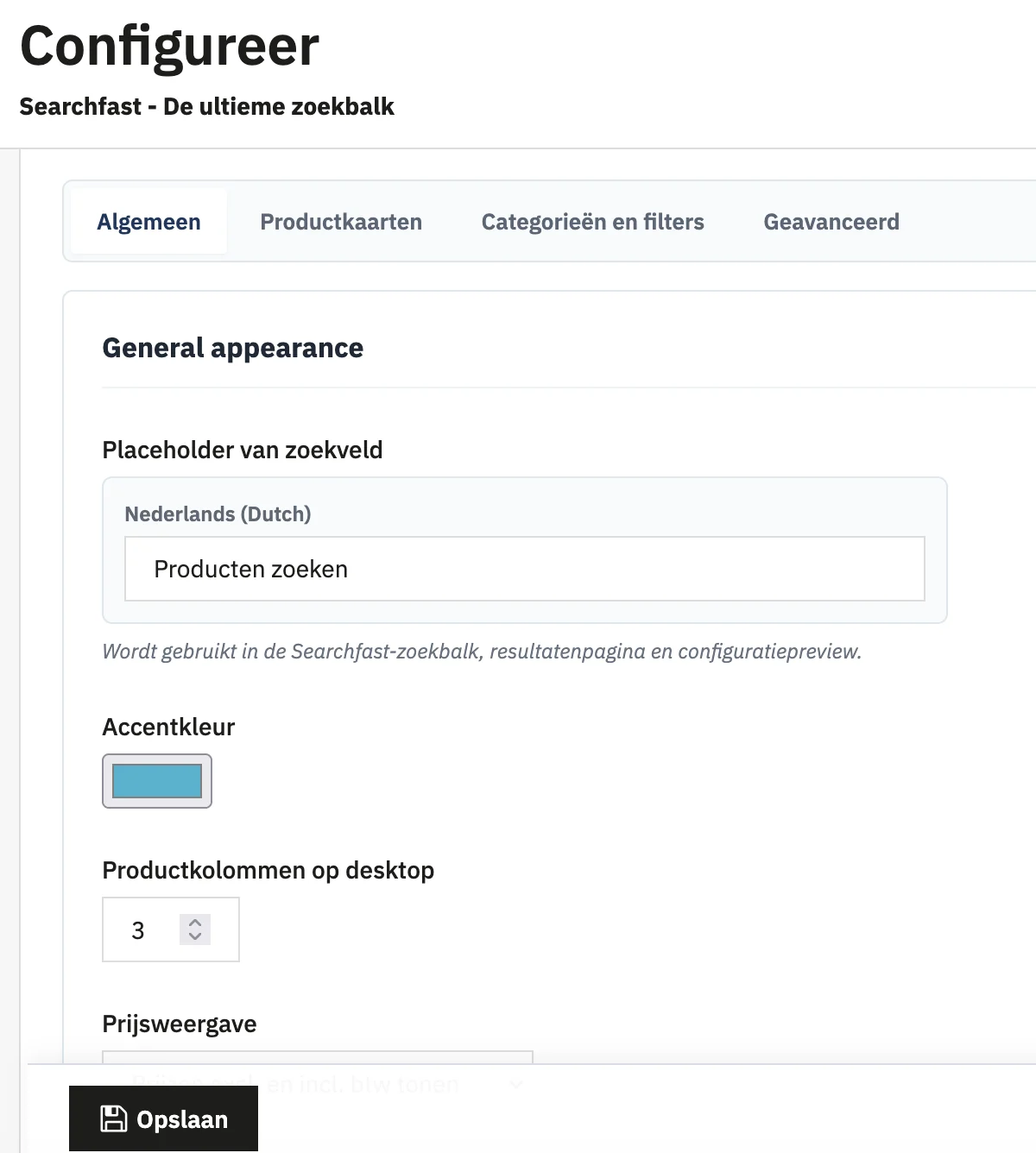
Searchfast settings in PrestaShop

Frequently asked questions

Can I prioritize brands?+

Yes. Searchfast lets you give brands priority in search results.

Can customers search by product code?+

Yes. Searchfast supports SKU, EAN, MPN and variant references.

Want to know more about Searchfast?

Get in touch. We are happy to help.

Request more information

“Searchfast works really fast on our B2B webshop, without the hassle of buying credits. The clear reports on search behaviour are a huge help in seeing exactly what our customers are looking for.”

Krabbendam Kadoverpakking (Translated from Dutch)